Things to Know About Daily Transaction Limits
Daily transaction limits are applied to each BankWAW membership number you use to make payments through BankWAW Internet Banking or the BankWAW App.
These limits apply when making the following payment types within Australia from a personal account:
- Payments made to another account held at BankWAW (including transfers between your own accounts)
- Payments made to a BSB and account number, including Osko® and standard electronic transfers.
- Payments made to a PayID®, including a mobile number, email address or ABN.
- Payments made via BPAY®.
- Payments made Internationally, using a SWIFT code.
Daily limits can be set for each transaction type, including:
- Internal Transfers
- External Transfers
- NPP (Osko®) Payments
- BPAY® Payments
- International Payments
Customers can set their limits up to the maximum amount available within Internet Banking and the BankWAW App. If you require a higher limit, please contact BankWAW for assistance.
Viewing and Changing Your Daily Transaction Limits
To manage your daily transaction limits, you must be registered for SMS One-Time Password (OTP) authentication.
Updating Your Limits
You can view and update your daily transaction limits through:
- BankWAW Internet Banking
- BankWAW App
Select your preferred banking channel and follow the step-by-step instructions below to review or amend your daily transaction limits. If you require assistance, please contact BankWAW on 1300 369 692 or visit your nearest branch.
How to Update Your Daily Transaction Limits in the BankWAW App
Step 1: Log in to the BankWAW App on your mobile device.
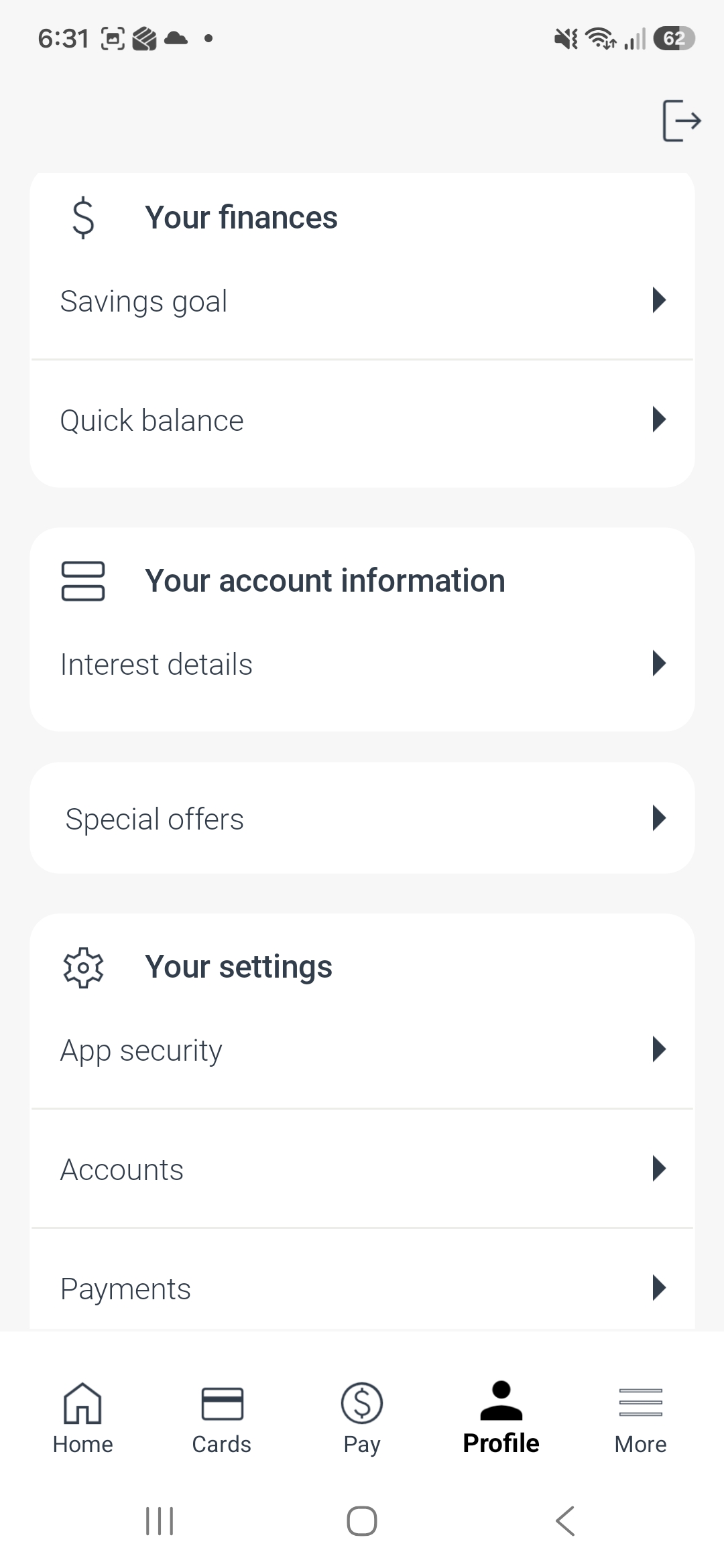
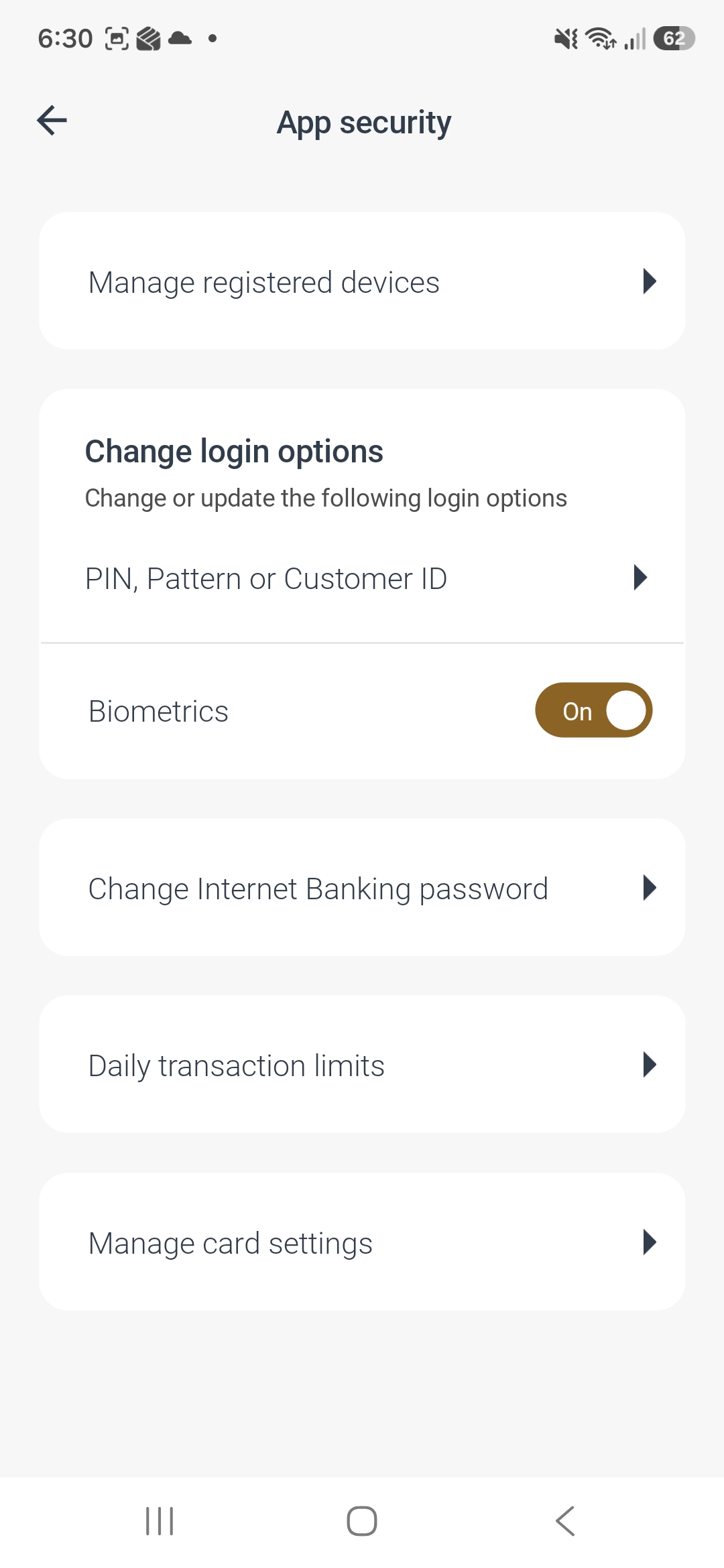
Step 2: At the bottom of the screen, select Profile > App Security > Daily Transaction Limits.
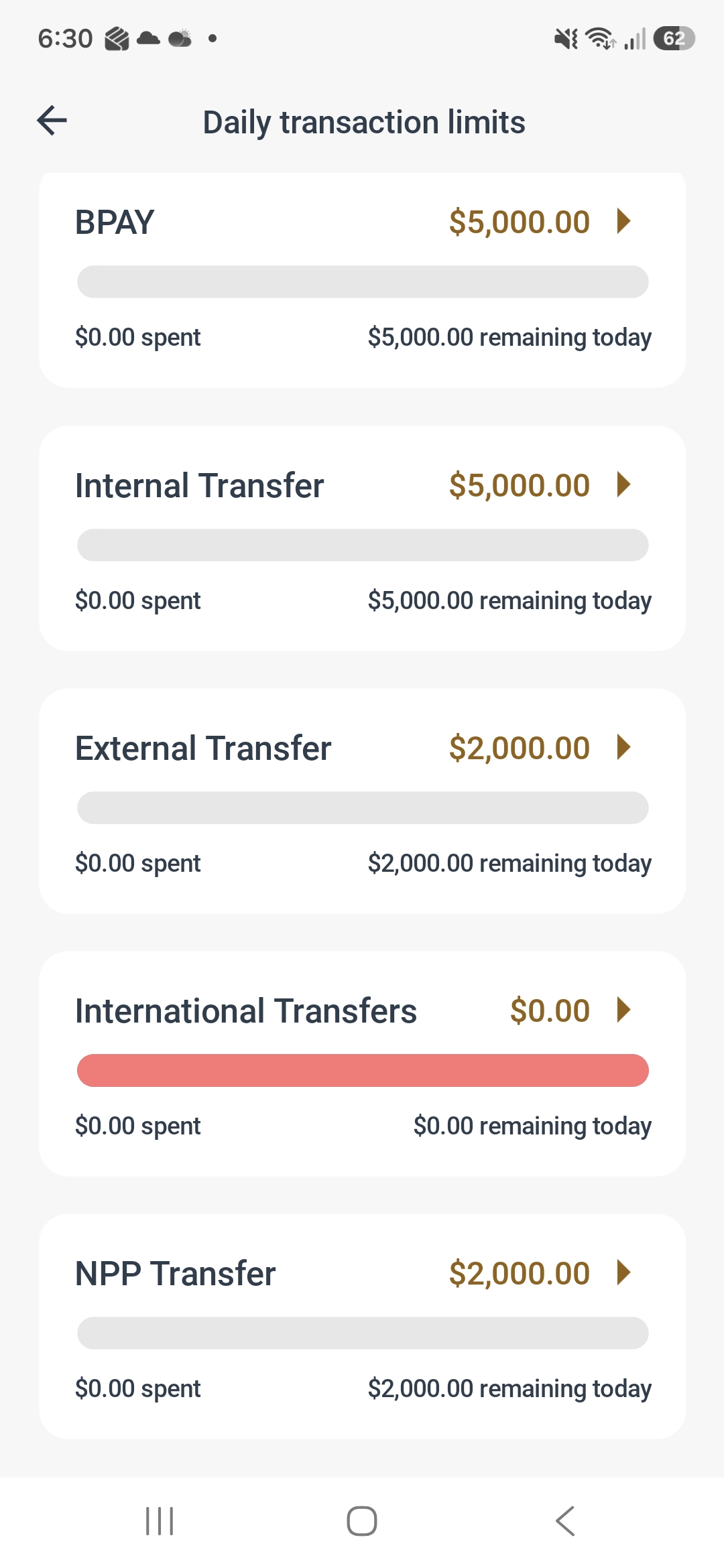
Step 4: Choose the transaction type you would like to update from the available list.
Step 5: Select your preferred daily transaction limit from the self-service options available. If you require a limit outside of the available range, please contact BankWAW directly for assistance.
Step 6: Request an SMS One-Time Password (OTP) and enter the verification code sent to your registered mobile number.
Step 7: Select Submit to save your changes.
How to Update Your Daily Transaction Limits in BankWAW Internet Banking
Step 1: Log in to BankWAW Internet Banking through the BankWAW website using your web browser.
Step 2: Select Settings > Daily Transaction Limits.
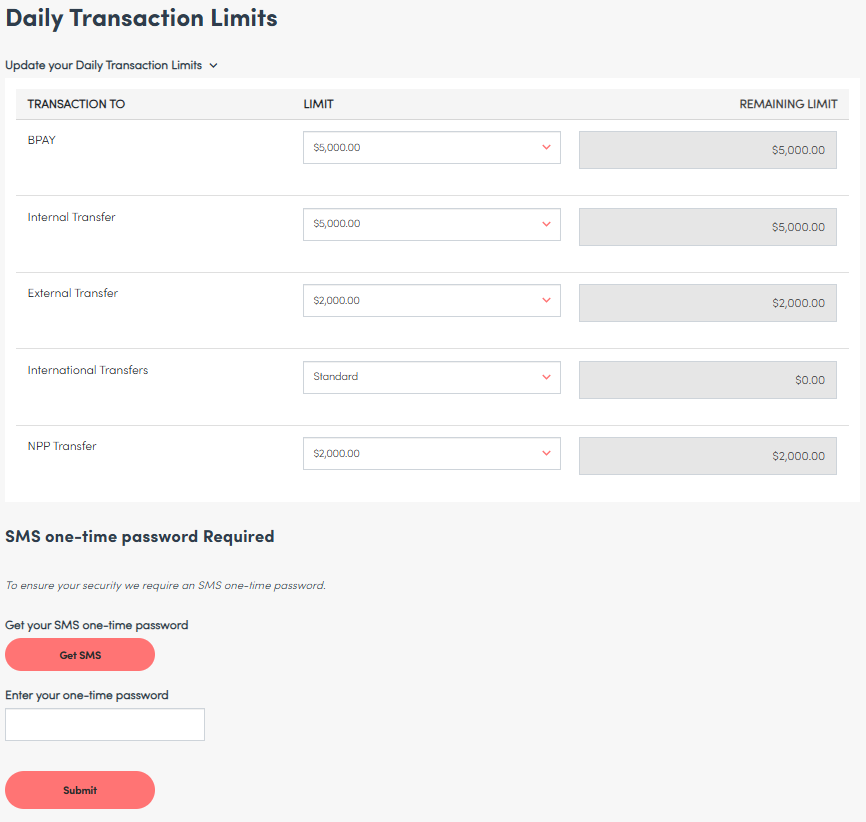
Step 3: Using the drop-down menus beside each transaction type in the Limit column, select your preferred daily transaction limit.
Step 4: Request an SMS One-Time Password (OTP) and enter the verification code sent to your registered mobile number.
Step 5: Select Submit to save your changes.
How are Daily Limits changing?
To support the launch of Self-Service, BankWAW online daily transaction limits are changing:
Prior to 30 October 2026: the standard transfer limit on every account is $2,000 per day.
If you have two accounts, both with standard limits, you are able to send 2 x $2,000 = $4,000 per day. If you open a third account, then your daily limit increases by $2,000 to $6,000 per day.
From 30 October 2026: moving forward, the standard limit will apply per customer, irrespective of how many accounts that you hold. This means that your limit will not change if you open additional accounts. Limits for different payment channels will also apply; these can be found in our PDS under “Daily Transaction Limits – Internet Banking and Mobile Banking App”, and within the BankWAW App and Internet Banking services, as detailed above.